
Wedding Venue Decor Checklist: Track Every Zone and Handoff
Use a venue-first wedding decor checklist to track what is included, needed, approved, supplied, delivered, set up, reused, and removed.
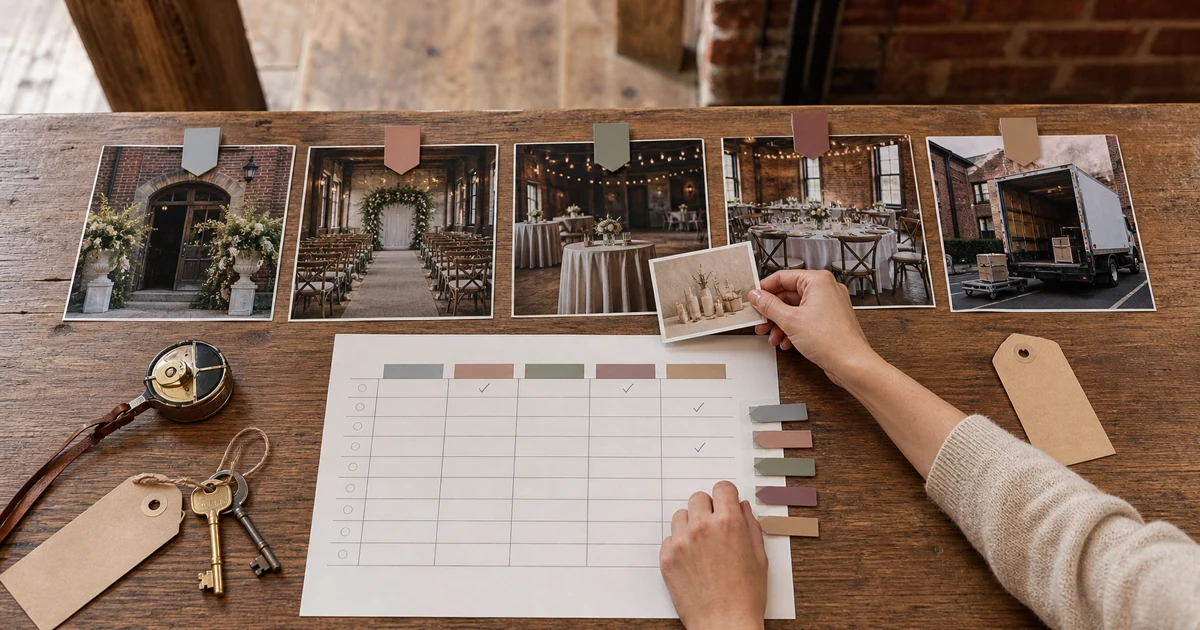
A useful wedding venue decor checklist covers five zones: arrival, ceremony, cocktail hour, reception, and exit. For every item you keep, record whether the venue includes it, whether it is needed, who must approve and supply it, and who owns delivery, setup, reuse, and removal. If those handoffs are blank, the item is not ready.
Most wedding decor checklists answer one question: “What could we put here?” That is a decent start, but it is not enough to place an order or brief a setup crew. A venue-specific checklist has to connect each idea to the real room and follow it through the whole event. It should distinguish a guest need from optional styling, prevent you from sourcing something the venue already owns, flag anything that needs written approval, and put one person beside every physical handoff.
Start with five venue zones
The Knot’s current decor checklist separates ceremony, cocktail-hour, and reception items. myweddinghire’s 2026 guide also organizes ideas by venue area, while Anthropologie’s checklist includes the practical setup and breakdown layer.
Keep that useful zone structure, but begin with a walk-through rather than a shopping tab. Photograph each area from the direction guests and suppliers will approach it. Record permanent features, included furniture, service paths, doors, installed lighting, and anything that could affect setup.
Use these five zones:
| Zone | Functional prompts | Optional styling prompts | Record from the venue |
|---|---|---|---|
| Arrival | Directions, welcome point, card or gift flow, accessible route | Welcome display, entry arrangement, small lighting detail | Doors, paths, existing signs, furniture, outlets, weather exposure |
| Ceremony | Seating, aisle, ceremony focal point, programs or ritual items | Aisle markers, backdrop or arch treatment, reserved-seat details | Sightlines, exits, floor, ceiling, permanent focal features, included chairs |
| Cocktail hour | Drinks and food service, standing surfaces, seating, directions to the next space | Small arrangements, bar detail, lounge accents, reused ceremony pieces | Bar, service route, existing tables, sheltered outdoor areas, room turnover |
| Reception | Tables and chairs, table identification, meal-service pieces, usable lighting | Linens, centerpieces, head-table detail, dance-floor or cake-area styling | Included furniture, installed lighting, columns, floor, doors, service paths |
| Exit | Guest route, transport point, card and gift collection, rental consolidation | Approved send-off detail, final sign, reused arrangements | Outdoor rules, lighting, weather cover, vehicle access, move-out route |
These are prompts, not a mandatory shopping list. If you have no favors, you do not need a favor table. If the room already has a strong ceremony focal point, adding an arch may only create another quote, approval, delivery, setup, and removal job.
Separate function from styling
Before choosing materials or colors, write the job beside each item.
A table number helps guests find their seats. A welcome sign confirms they have reached the right event. Lighting may be needed for safe, comfortable use of a room before it becomes part of the mood. Those are functional jobs.
A second entrance arrangement, chair-back ribbon, extra cake-table detail, or decorative lounge object may be lovely, but the event can still work without it. Those are optional styling choices.
This distinction is not about banning decorative details. It tells you what to protect when the budget, setup window, or supplier capacity gets tight. Mark each row with one of five statuses:
- Included: confirmed in the current venue package or supplier scope.
- Need: required for guest use, ceremony flow, or the design you have chosen.
- Optional: styling that can be removed without breaking the event.
- Pending: waiting for a decision, approval, quote, measurement, or owner.
- Remove: duplicated, prohibited, or not worth the work.
Do not promote “probably included” to included. Add the source: contract, package inventory, current email, or supplier proposal. If the answer depends on attachment, flame, power, access, or cleanup, work through the wedding venue decor restrictions checklist before paying a non-refundable deposit.
Use one master control row per item
Once the zone audit is complete, move every surviving item into one master table. This is where the checklist becomes a handoff tool.
| Zone and item | Job | Venue inventory | Status | Approval | Supplier | Owner | Delivery | Setup | Reuse or move | Removal |
|---|---|---|---|---|---|---|---|---|---|---|
| [zone + item] | [guest function or visual job] | [included / not included / unknown + source] | [need / optional / pending / remove] | [approved / pending / not needed + source] | [venue / supplier / personal / undecided] | [one person or team] | [method, window, owner, or pending] | [method, window, owner, or pending] | [destination, owner, time, or none] | [method, deadline, owner, or pending] |
There are several important separations inside that row:
- Supplier is not owner. A florist may supply an arrangement while the coordinator owns the decision about when it moves from ceremony to reception.
- Delivery is not setup. A rental can reach the loading area without anyone being assigned to unpack or place it.
- Setup is not removal. The friend who arrives early may not be present when the venue must be cleared.
- Reuse is not automatic. Moving two arrangements needs a destination, a safe method, a time, and a person who is not busy with another part of the event.
Write one accountable name or team in the owner field. “Wedding party” is usually a hope wearing a spreadsheet costume.
Work through a hypothetical example without inventing venue rules
The rows below show how to use the table. They do not describe a real venue package, policy, supplier agreement, price, or timeline. The unknowns remain visible.
| Zone and item | Job | Venue inventory | Status | Approval | Supplier | Owner | Delivery | Setup | Reuse or move | Removal |
|---|---|---|---|---|---|---|---|---|---|---|
| Arrival: welcome sign and stand | Help guests confirm they are in the right place | Unknown; check the current package list | Pending until inventory is checked | Pending; send dimensions and support method to venue | Undecided | Couple to assign | Pending after supplier choice | Pending after access rules are confirmed | Consider only if the next location and mover are confirmed | Pending; assign before final handoff |
| Ceremony: two focal arrangements | Mark the ceremony focal area | Unknown; compare venue inventory with florist scope | Optional until style and reuse value are decided | Pending; confirm placement and support method | Undecided | Couple to assign | Pending | Pending | Possible reception reuse; destination, time, and mover unassigned | Pending if not reused |
| Reception: table numbers | Help guests find assigned tables | Unknown; ask venue and stationery supplier | Need if the seating plan uses numbered tables | Do not assume; confirm display method when relevant | Undecided | Couple to assign | Pending | Pending | None planned | Pending |
This example looks unfinished because it is. That is the point. The checklist exposes work before it becomes a box in someone’s car with no delivery slot, no setup owner, and no plan for midnight.
Once you have real answers, replace “pending” with the source and decision. If a welcome stand is already included, record the exact item and quantity. If a venue approves a support method, attach that written approval. If the focal arrangements will move, name the mover and reception destination. Do not fill uncertainty with a cheerful guess.
Build the checklist in three passes
Trying to complete every field during one venue tour is slow and surprisingly easy to get wrong. Use three passes instead.
Pass 1: inventory the room
Walk through the five zones with the current package list. Record what physically exists, what the venue says is included, and what is still unknown. Take wide photos and detail photos of fixed features, outlets, access points, and supplied furniture where the venue permits.
At this stage, do not decide whether every surface needs flowers. You are building the starting state.
Pass 2: choose the design
Decide which zones need attention and which already work. Start with function, then add the few styling choices that shape the room. Use the venue-first decor style scorecard if you are still trying to force several unrelated aesthetics into one space.
Now give each row a status. Remove duplicates. Mark approval-dependent items as pending. If the ceremony and reception share a building, look for honest reuse opportunities, but count the labor involved.
Pass 3: assign the handoffs
Complete supplier, owner, delivery, setup, reuse, and removal. Work backward from the venue’s current access and move-out terms. Give suppliers only the rows that affect their scope, then keep one master version with the latest sources and approvals.
Before an item becomes ready, you should be able to answer:
- What job does it do in this zone?
- Is it already included?
- Is it needed, optional, pending, or removed?
- Does it require approval, and where is that answer recorded?
- Who supplies it?
- Who owns delivery and setup?
- Will it move to another zone?
- Who removes it, by what deadline?
If one of those questions does not apply, write “not needed.” A deliberate answer is better than an ambiguous blank.
Where NuptiaAI fits
NuptiaAI is an iPhone wedding-venue visualizer. It can take a ceremony or reception photo along with style, colors, event details, season, time, budget tier, flowers, and special requests.
Use it after the checklist identifies one high-impact unresolved zone. You might compare a lower-density ceremony focal area with a fuller one, or test whether the reception needs more visual weight at the head table. Keep the request tied to the venue and to choices that are still open.
The result is a concept, not a completed checklist. It cannot confirm what the venue owns, whether an installation is permitted, exact measurements, supplier stock, setup labor, safe attachment, electrical capacity, or final cost. Generated details can also move or invent parts of the room, so check the image against the source photo and the written worksheet before sharing it.
Use the image to make one decision clearer. Keep the checklist as the source for what must actually arrive, move, and leave.
Frequently asked questions
What should be on a wedding venue decor checklist?
Cover arrival, ceremony, cocktail hour, reception, and exit. For each item, record its job, whether the venue includes it, its status, approval source, supplier, owner, delivery, setup, possible reuse, and removal. Delete prompts that do not fit your event instead of treating every online list as required.
How do I avoid buying decor the venue already provides?
Compare your zone audit with the current contract, package inventory, and supplier proposals. Record the source beside every included item, along with quantities and conditions. “The venue has signs” is not enough if you need three stands of a particular size in different rooms.
Who should be responsible for wedding decor setup and removal?
Assign one named person or contracted team to each handoff. The supplier may handle delivery but not placement; venue staff may move certain items but not personal decor. Confirm the real scope and access window in writing. Do not make an unbriefed relative the default owner because they once said, “Sure, I can help.”
Can an AI venue visualization replace a decor checklist?
No. A visualization can help compare style, palette, focal areas, or decor density in the real room. It cannot verify inventory, permission, dimensions, access, safety, stock, labor, or price. Use the image for concept decisions and the checklist for execution.
Use the NuptiaAI wedding decor guides to work through style and venue decisions, then keep the completed checklist beside every quote, image, and supplier handoff.